


How To Checkout Using CardDelivery Without A Paypal Account
Support Links
About Our Gift Cards
 Fast Email Delivery
 No Expiration Date! Will not expire.
 Estimated Delivery Time: 0 - 10 min.
 24/7/365 Customer Support
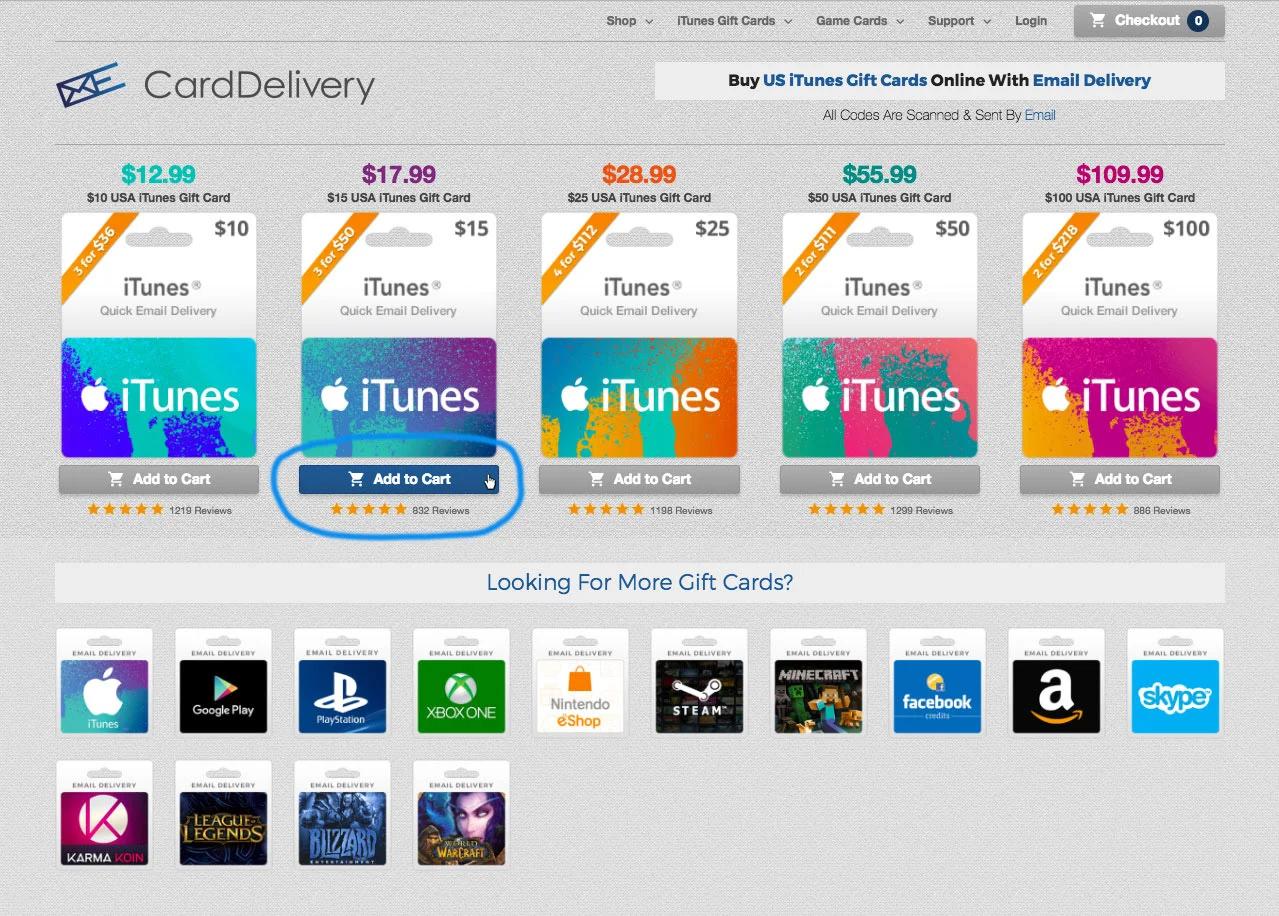
Step 1
Add the iTunes Gift Card you want to your cart and press add to cart
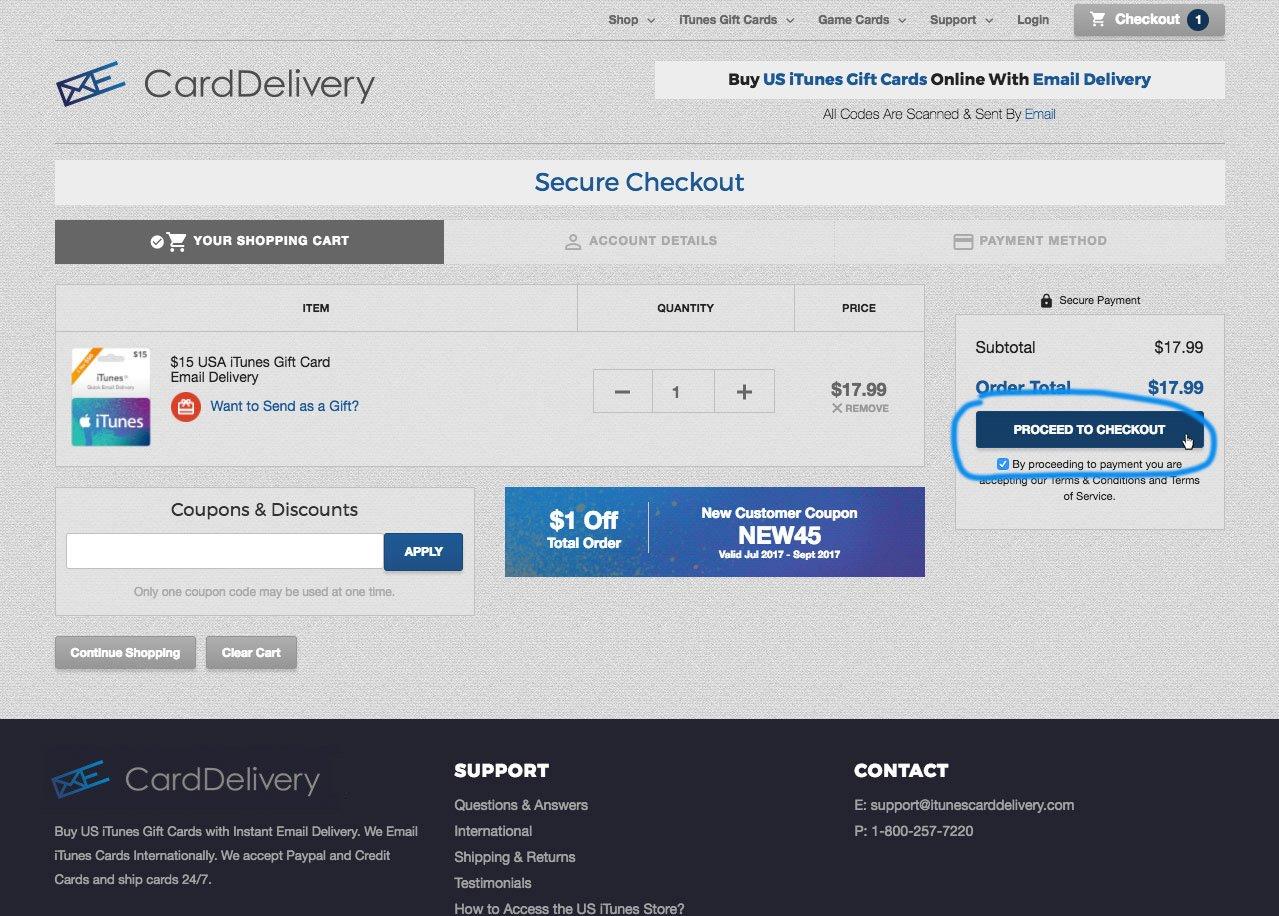
Step 2
Make sure the item you want is in your cart and then press proceed to checkout
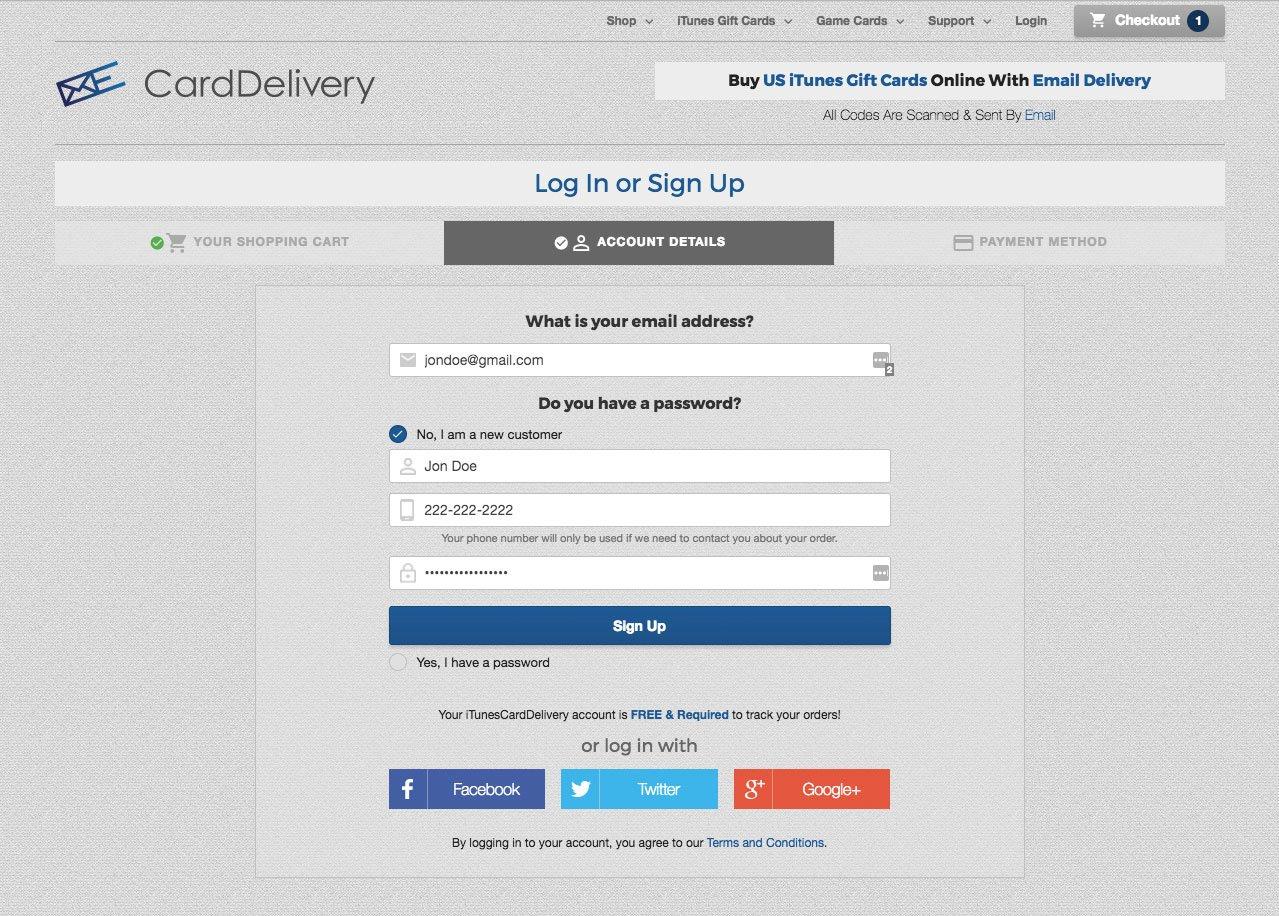
Step 3
If you are a new customer enter in your email address, name, & make a password. Then press signup and you'll be directed to payment. If you are already a customer enter in your email address and password.
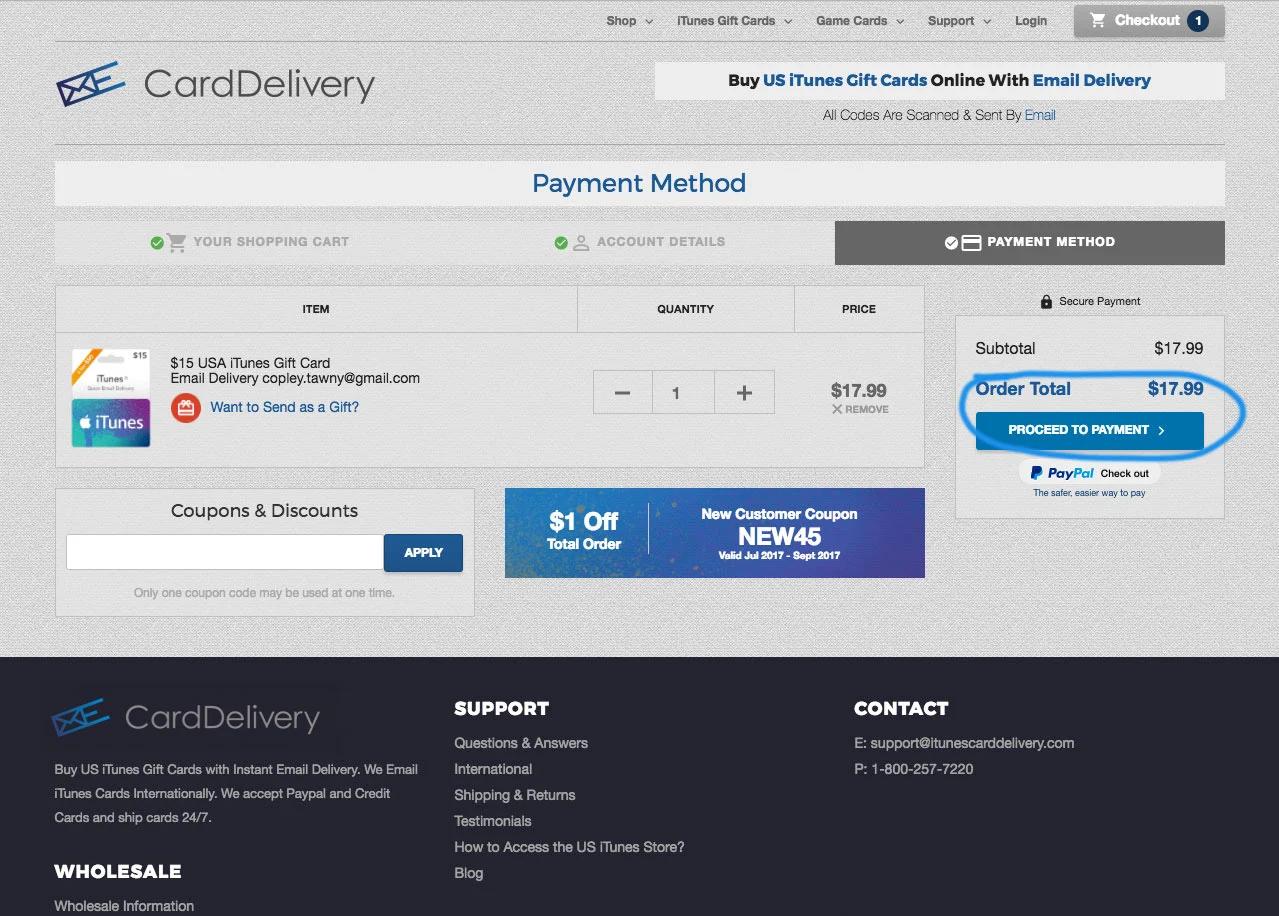
Step 4
Double check your order, and then press Proceed to Payment
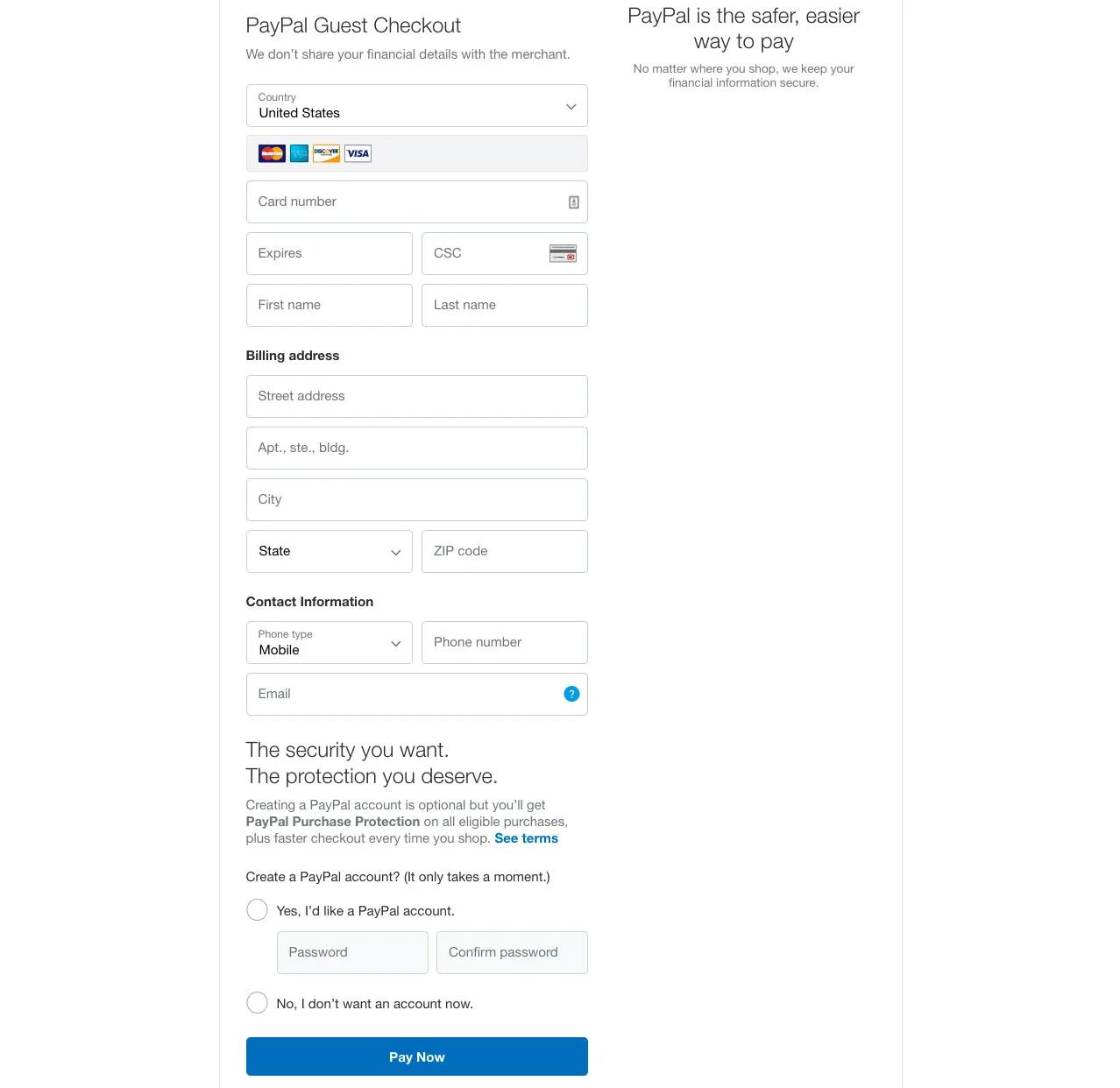
Step 5
Enter in your Debit or Credit Card information here. You will not have to create a paypal account if you do not want to. Then Scroll down to and press pay now. I fyou have a paypal account login as usual.
Featured Products


